
Download Theneo – AI‑Powered API Documentation Tool
Overview
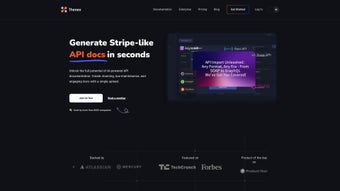
Theneo is an AI‑driven web application that transforms the way developers create and maintain API documentation. Designed for modern development teams, Theneo supports a wide range of API specifications—including OpenAPI, Postman, GraphQL, SOAP API, and AsyncAPI—so you can import existing definitions or start from scratch. By leveraging natural‑language generation, the platform automatically drafts clear, concise descriptions and summaries for every endpoint, request, and response.
This eliminates the tedious manual writing process and reduces documentation turnaround time by up to 70 %. Theneo’s collaborative editor works much like Notion: multiple team members can edit, comment, and review documentation in real time, ensuring consistency across large projects. The tool also offers multi‑language code snippets (Python, Ruby, PHP, Java, Node.js, Go, .NET) that are generated on‑the‑fly, allowing developers to copy ready‑to‑run examples directly into their codebase.
Custom branding options let companies present a polished, on‑brand experience to external partners, while the built‑in API Explorer invites consumers to test endpoints without leaving the docs. Integration points for Swagger, GitHub, and other CI/CD pipelines mean you can automate migration and keep documentation in sync with source control. Whether you’re a startup building a single microservice or an enterprise managing dozens of APIs, Theneo provides a secure, subscription‑based solution that scales with your needs.
Key Features
- AI‑Generated Descriptions: Natural‑language summaries for endpoints, parameters, and responses are created automatically, cutting manual writing effort.
- Multi‑Format Support: Import and export OpenAPI, Postman, GraphQL, SOAP API, and AsyncAPI specifications.
- Collaborative Notion‑Style Editor: Real‑time editing, comments, and version history for seamless teamwork.
- Code Snippet Generator: One‑click generation of request examples in Python, Ruby, PHP, Java, Node.js, Go, and .NET.
- Custom Branding: Add your logo, colors, and domain to provide a professional, on‑brand documentation portal.
- Interactive API Explorer: Embedded sandbox for developers to test calls directly from the docs.
- Automatic Migration Tools: Connect to Swagger, GitHub, or CI pipelines for effortless sync and updates.
- Access Controls & Permissions: Granular role‑based access to protect sensitive API information.
- Analytics Dashboard: Track documentation usage, endpoint popularity, and user feedback.
- Secure Cloud Hosting: End‑to‑end encryption, GDPR compliance, and regular security audits.
Installation & Usage Guide
Getting started with Theneo is straightforward because it is a fully hosted SaaS platform—no local installation is required. Follow these steps to begin documenting your APIs:
- Create an Account: Visit the Theneo website, click “Start Free Trial,” and fill in your email or sign in with Google/SSO. A verification email will confirm your account.
- Select a Subscription Plan: Choose from the “Starter,” “Professional,” or “Enterprise” tiers. All plans include a 14‑day free trial with full feature access.
- Connect Your Source: In the dashboard, click “Import API.” You can upload a local file (YAML/JSON) or connect to a GitHub repository, SwaggerHub, or Postman workspace. Theneo parses the specification and populates the project.
- Review AI‑Generated Content: Once the import completes, the AI engine creates descriptions for each endpoint. Use the collaborative editor to refine language, add examples, or attach additional resources.
- Generate Code Snippets: Select an endpoint, choose the desired language from the snippet dropdown, and copy the ready‑to‑run code block. Theneo automatically updates snippets when the underlying API changes.
- Publish & Share: Enable custom branding, set a public URL, and toggle the API Explorer. Share the link with internal teams or external partners. Permissions can be adjusted to restrict edit or view access.
- Continuous Updates: Enable “Auto‑Sync” with your source repository. Whenever the OpenAPI file changes, Theneo re‑generates documentation and notifies collaborators.
Because Theneo runs entirely in the browser, it works on any modern operating system. For teams that prefer on‑premise solutions, Theneo offers a self‑hosted Docker image (available on the Enterprise tier) that can be deployed on Windows Server, Linux, or macOS environments.
Supported Operating Systems: Windows 10/11, macOS 12+, Linux (Ubuntu, Debian, CentOS), iOS (via Safari), Android (via Chrome). The web interface adapts responsively for tablets and smartphones, ensuring developers can edit documentation on the go.
Pros and Cons
Pros
- AI‑generated content drastically reduces documentation time.
- Broad API format support eliminates the need for multiple tools.
- Real‑time collaborative editor boosts team productivity.
- Multi‑language code snippets streamline developer onboarding.
- Custom branding and API Explorer improve consumer experience.
- Secure, GDPR‑compliant cloud hosting with regular audits.
Cons
- Subscription cost may be high for very small projects.
- Learning curve for teams unfamiliar with AI‑assisted writing.
- Limited offline access unless you opt for the self‑hosted Docker version.
- Advanced analytics are only available on Professional and Enterprise plans.
- API Explorer customization options are currently basic.
Frequently Asked Questions
Can I import an existing Swagger/OpenAPI file?
Yes. Theneo’s import wizard accepts Swagger, OpenAPI 2.0/3.0, and AsyncAPI files in JSON or YAML format. The AI engine will automatically generate documentation based on the imported schema.
Is there a free tier or trial available?
Theneo offers a 14‑day free trial with full access to all features. After the trial, you can choose a paid plan that fits your team size and requirements.
How does Theneo handle version control for documentation?
Each change is saved as a revision, and you can revert to previous versions at any time. When you connect Theneo to a Git repository, documentation updates are automatically committed, keeping source and docs in sync.
Can I generate code snippets for a custom language?
Currently Theneo supports the most popular languages (Python, Ruby, PHP, Java, Node.js, Go, .NET). For custom languages, you can use the “Custom Template” feature available on the Enterprise plan to define your own snippet format.
Is my API data secure on Theneo’s cloud?
Security is a top priority. Theneo employs end‑to‑end TLS encryption, AES‑256 data at rest, regular penetration testing, and complies with GDPR, ISO‑27001, and SOC 2 standards.
Conclusion – Start Building Smarter API Docs Today
In a world where rapid API delivery and clear documentation are competitive advantages, Theneo stands out as a comprehensive, AI‑enhanced solution. Its ability to auto‑generate high‑quality content, provide instant multi‑language code examples, and enable real‑time collaboration makes it a must‑have tool for development teams of any size. While the subscription cost may be a consideration for very small projects, the time saved and the professional polish delivered to API consumers often outweigh the expense. Ready to eliminate the manual grunt work of documentation and accelerate your API adoption? Start your free trial today and experience the future of API documentation.



.png)



